Gitbook editor to Github
將Gitbook editor同步至Github
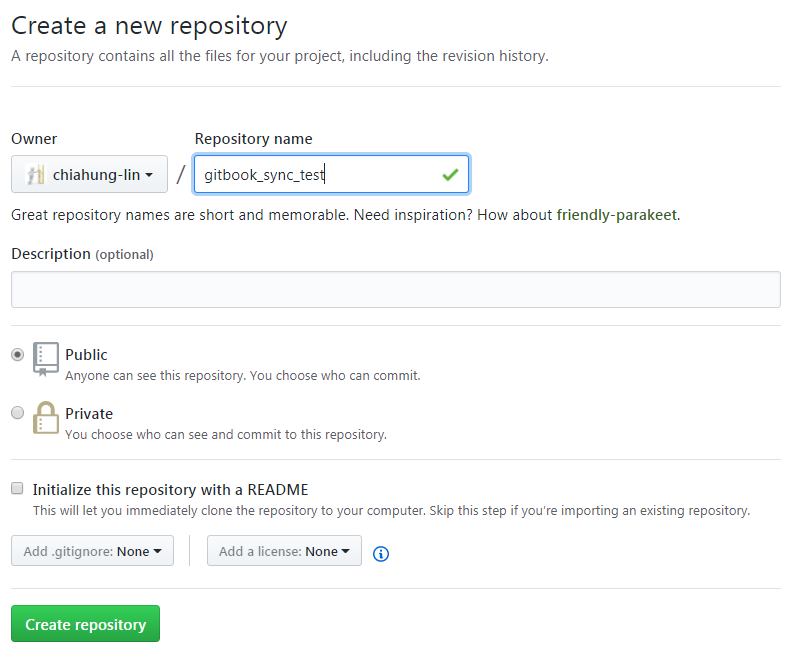
Step 1.在github上新增repository(按下new) 輸入你要的名稱->按下Create repository
ps:請不要勾選Initialize this reposirory....
完成後如下
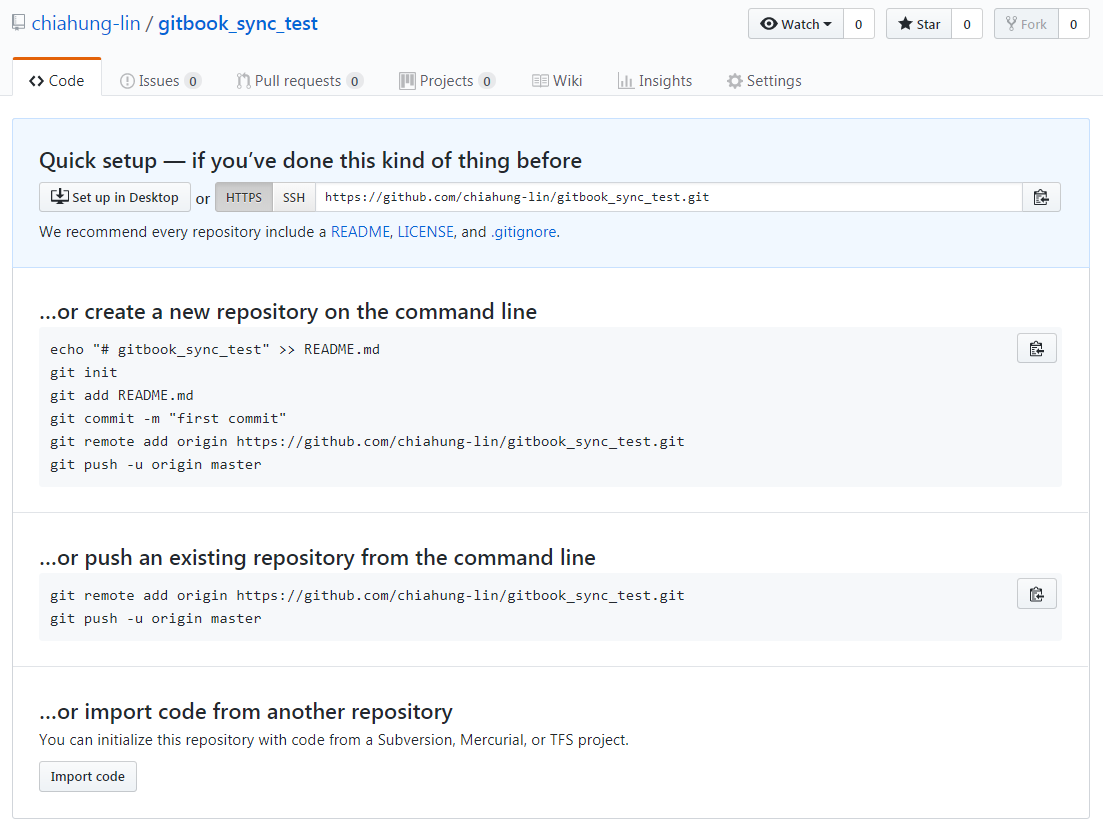
2.複製網址,準備到Gitbook editor 設定
3.新增一本書,如下

點開後->Book->Repository Settings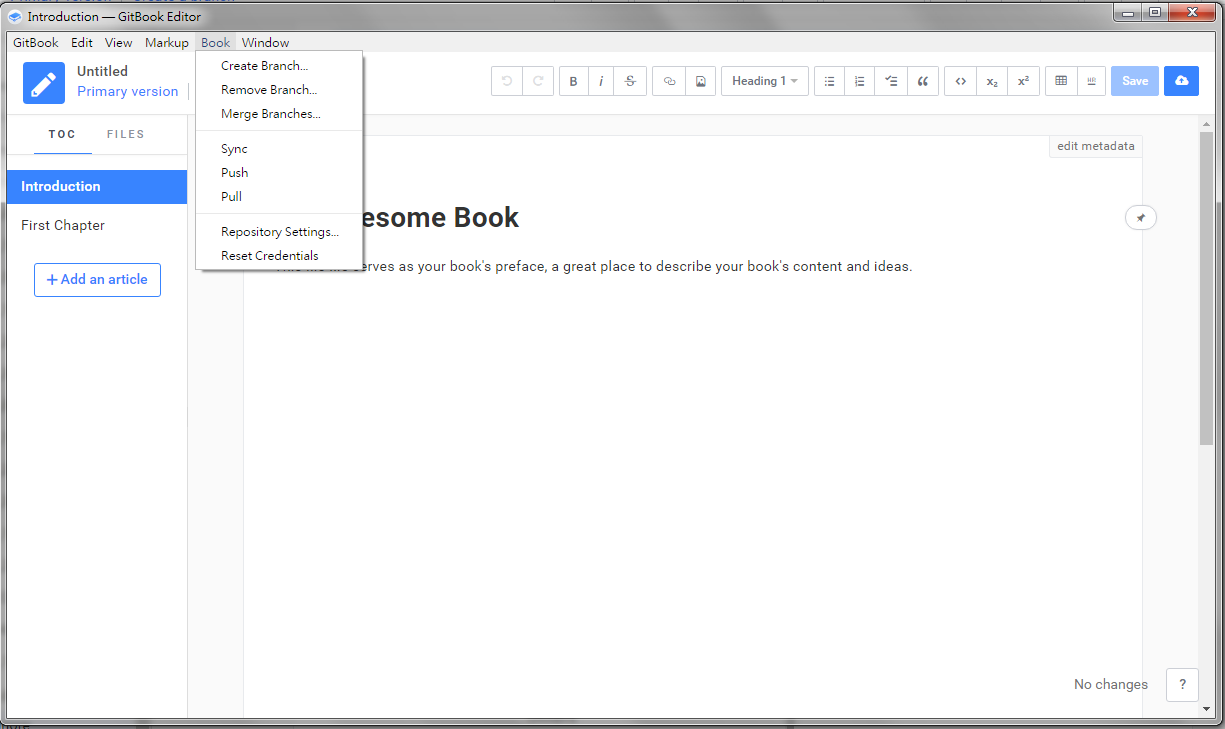 貼上網址(如下)->按Edit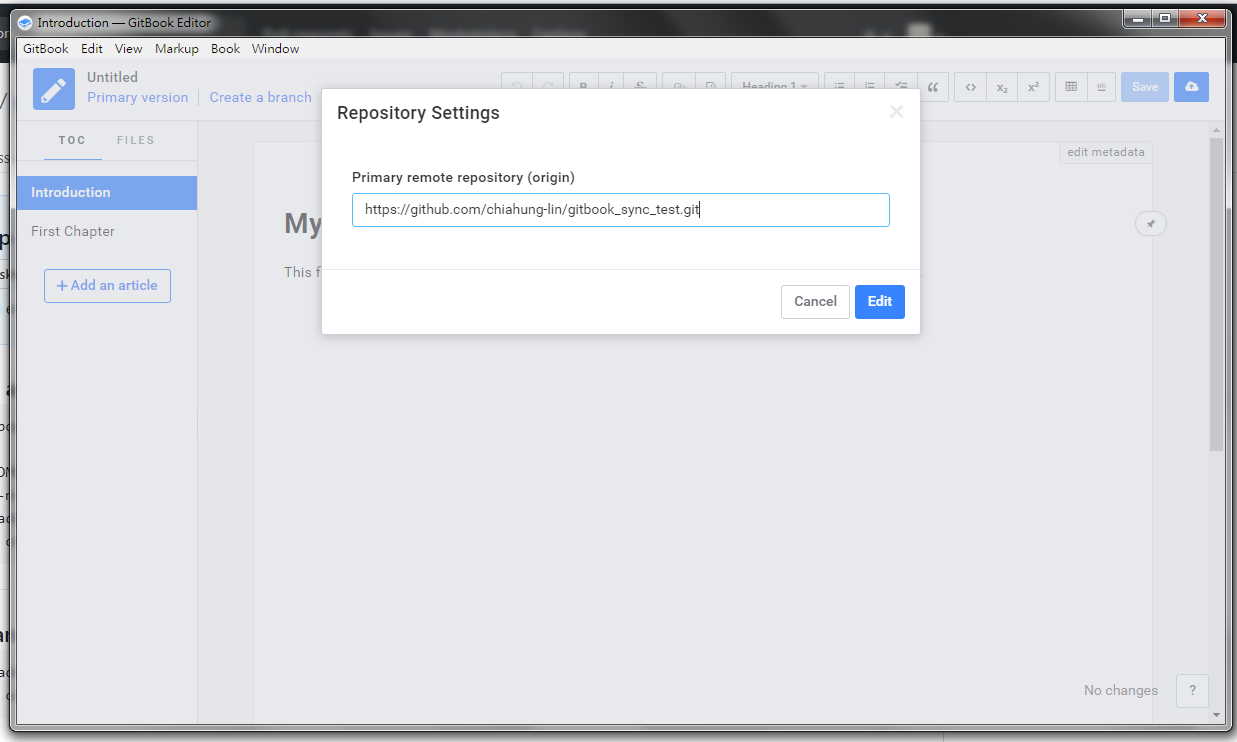
save資料->進入登入的畫面(github帳號)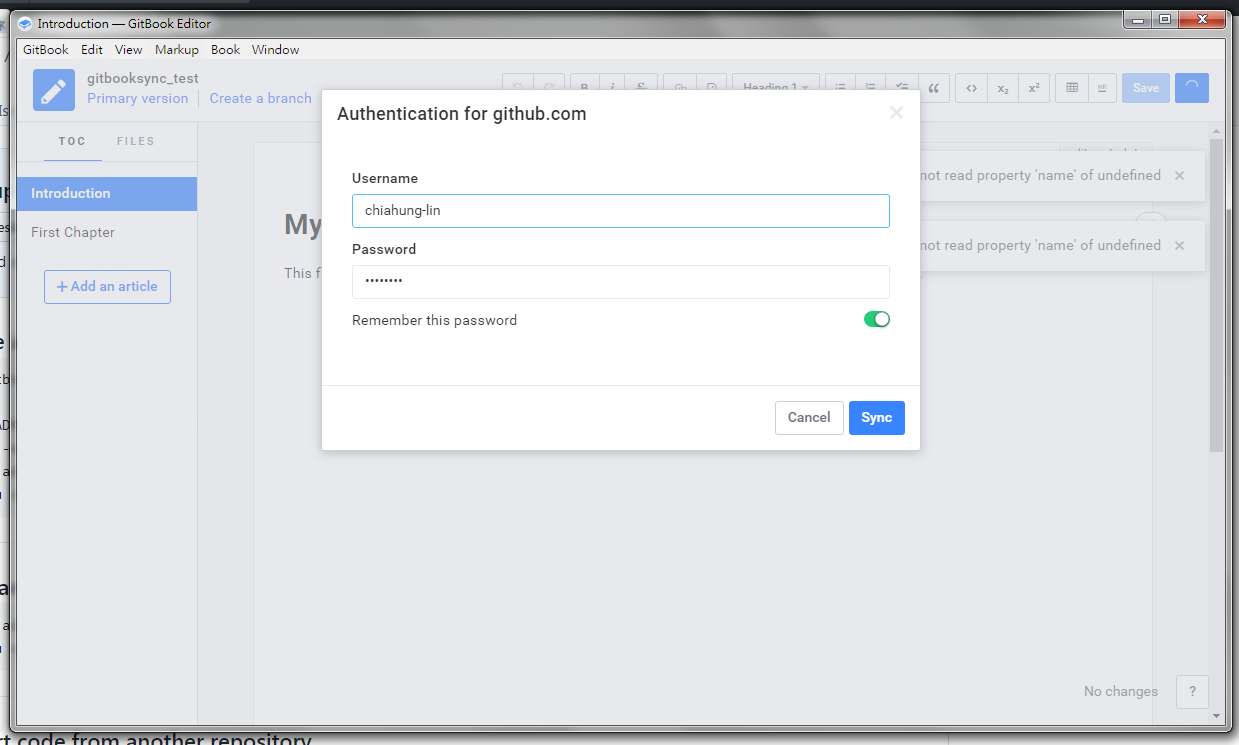 按下Sync即可同步至Github!!
完成後如下: